
Download OmniPlan 3 – Free Project Planning Software for Professionals
Overview
OmniPlan 3 is a lightweight yet powerful project‑planning tool designed for small‑to‑medium businesses that need a fast, secure way to map out tasks, allocate resources, and keep stakeholders aligned. While enterprise‑grade suites like QuickBooks or Salesforce dominate the market, OmniPlan 3 offers a streamlined alternative that focuses on the core essentials of project management: task breakdown, smart scheduling, Gantt visualizations, and milestone tracking. The software’s intuitive interface lets managers create, centralize, and distribute project plans without the steep learning curve typical of heavyweight PM platforms. With a free two‑week trial, teams can experience the full feature set before committing to a subscription, making it an ideal entry point for organizations that want to boost inter‑departmental accountability while avoiding unnecessary complexity.
Key Features & Smart Scheduling
Core Capabilities
- Drag‑and‑drop task hierarchy for quick breakdown of work packages.
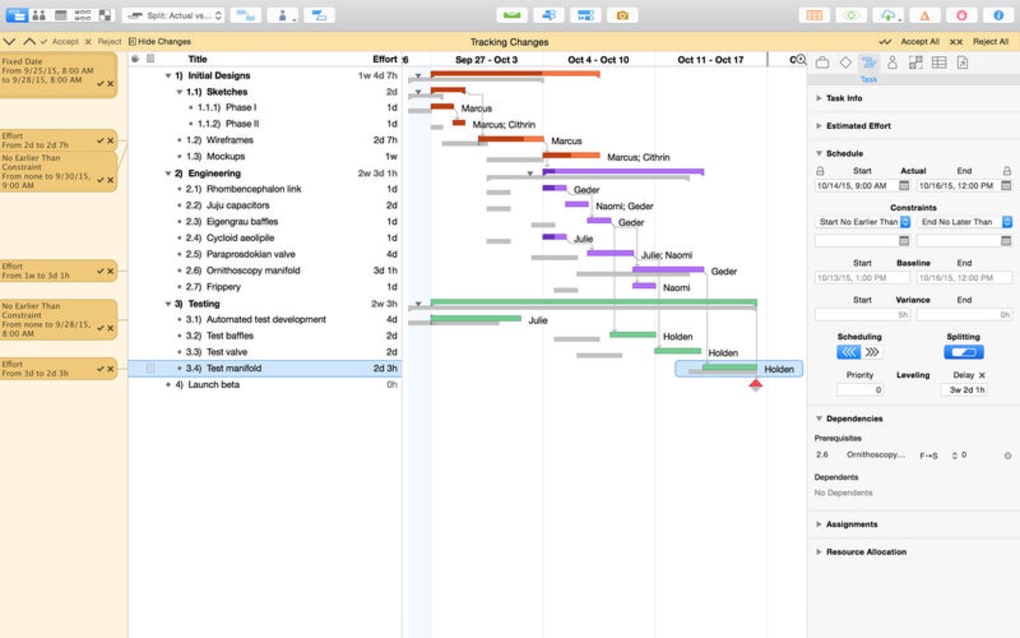
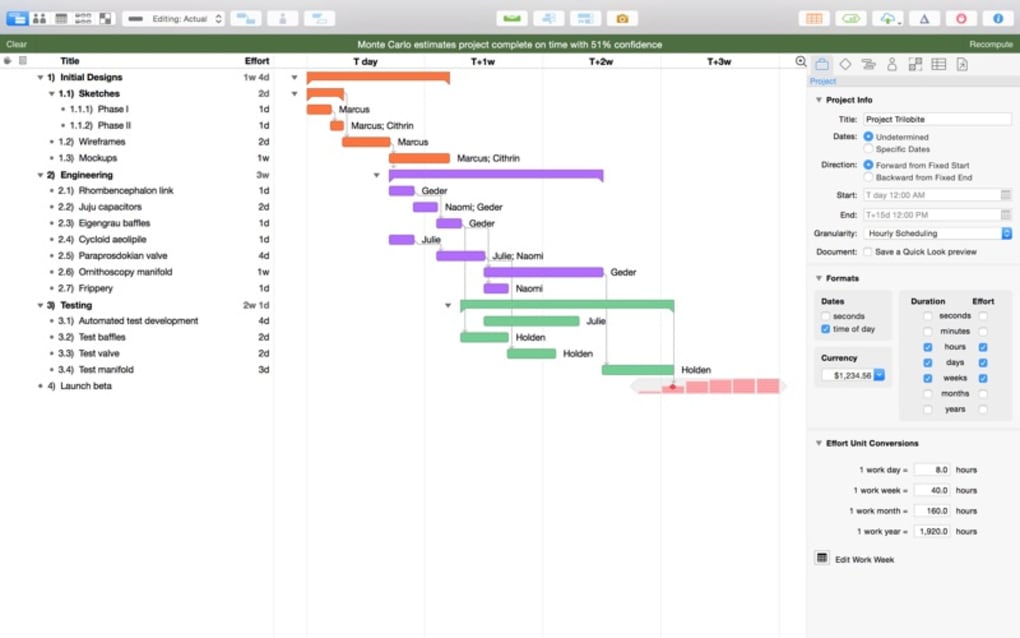
- Advanced Gantt charts that update in real time as tasks change.
- Milestone markers to highlight critical delivery dates.
- Resource allocation view to prevent overallocation and idle time.
- Export options to PDF, CSV, and Microsoft Project formats.
Smart Scheduling Engine
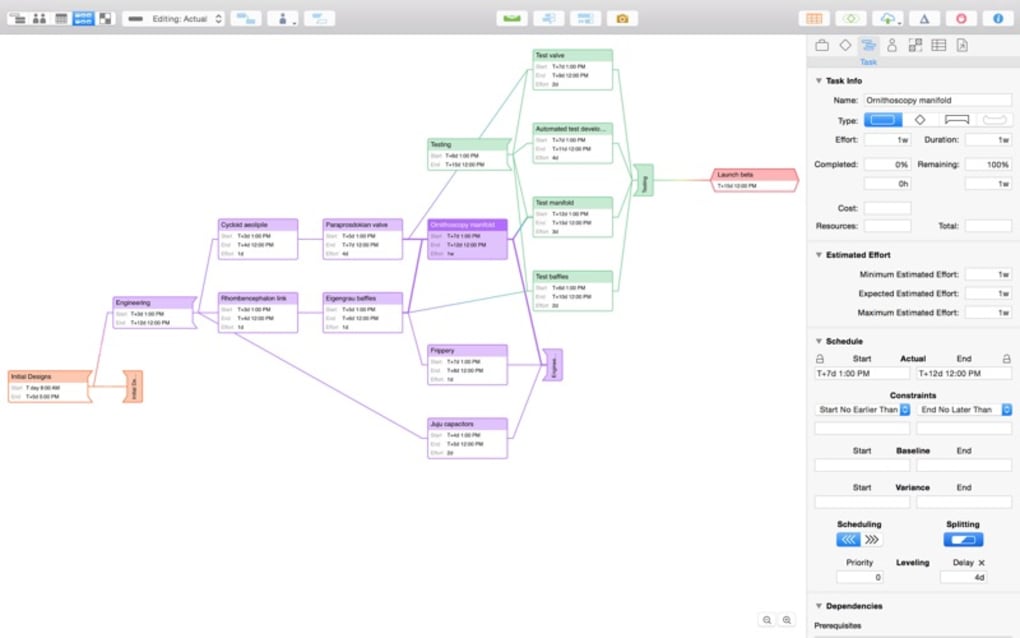
One of OmniPlan 3’s standout utilities is the “Smart Scheduling” function. Powered by built‑in algorithms, the engine analyses task dependencies, durations, and resource availability, then automatically reorganizes the timeline to achieve maximum efficiency. Users simply input constraints—such as fixed start dates or hard deadlines—and the system recalculates the entire plan, highlighting potential bottlenecks before they become problems. This dynamic re‑planning reduces manual adjustments, saves hours of administrative work, and ensures that project timelines remain realistic even when scope changes occur mid‑stream.
Collaboration & Reporting
OmniPlan 3 supports real‑time collaboration through cloud sync, allowing team members to view updates instantly on any device. Integrated reporting tools generate visual summaries, such as burn‑down charts and progress dashboards, that can be shared with executives or external stakeholders. The software also includes a built‑in comment system, so discussions stay attached to specific tasks, preserving context and reducing email clutter.
Installation, Usage & Compatibility
Getting Started
Installation is straightforward. After downloading the installer from the official OmniGroup website, double‑click the .exe (Windows) or .dmg (macOS) file and follow the on‑screen prompts. The installer automatically configures required libraries and adds a shortcut to the start menu or Applications folder. For mobile users, dedicated iOS and Android apps are available in their respective stores, offering a synced view of projects created on the desktop version.
First‑Run Workflow
Upon launch, OmniPlan 3 presents a welcome wizard that guides new users through creating their first project. The wizard asks for basic details—project name, start date, and primary goals—then suggests a default task template based on industry best practices. Users can accept the template or build a custom structure from scratch. Once tasks are entered, the Smart Scheduling engine runs automatically, presenting an optimized timeline that can be fine‑tuned with drag‑and‑drop adjustments.
Operating System Support
OmniPlan 3 runs natively on macOS 12 and later, Windows 10 and later, iOS 14 and later, and Android 8 and later. The cross‑platform design ensures that teams using mixed environments stay synchronized, with cloud‑based backups protecting data integrity across devices.
Pros and Cons
- Pros:
- Intuitive UI reduces onboarding time.
- Smart Scheduling cuts manual re‑planning.
- Robust Gantt and milestone visualizations.
- Cross‑platform support (Windows, macOS, iOS, Android).
- Free two‑week trial with full feature access.
- Cons:
- Advanced reporting requires a paid subscription.
- No built‑in time‑tracking module.
- Limited integration with third‑party accounting tools.
FAQ & Final Thoughts
Is OmniPlan 3 really free?
OmniPlan 3 offers a 14‑day free trial with full functionality. After the trial, you’ll need to purchase a license to continue using the software.
Can I import projects from Microsoft Project?
Yes, OmniPlan 3 can import .mpp files, allowing you to migrate existing plans without losing data.
Does OmniPlan 3 support resource leveling?
The Smart Scheduling engine automatically performs basic resource leveling. For more complex scenarios, you may need the paid version.
Is data stored securely in the cloud?
All cloud syncs use AES‑256 encryption, ensuring that your project data remains private and secure.
Can I share a project with external stakeholders?
Yes, you can generate a shareable link or export the project as a PDF for external review.
Conclusion & Call to Action
OmniPlan 3 strikes a compelling balance between simplicity and depth, making it an excellent choice for professionals who need a reliable project‑planning tool without the overhead of enterprise suites. Its Smart Scheduling engine, comprehensive Gantt visualizations, and seamless cross‑platform sync empower teams to stay organized, meet deadlines, and maintain transparency across departments. If you’re looking for a secure, free‑to‑try solution that scales from single‑person projects to multi‑team initiatives, download OmniPlan 3 today and experience how a lightweight app can deliver heavyweight results.
Overall Rating: 4.5/5







